Track only what matters
You don't need to record your whole day. Start with a few habits you're curious about and add more if they become useful.

Put your sleep data in context
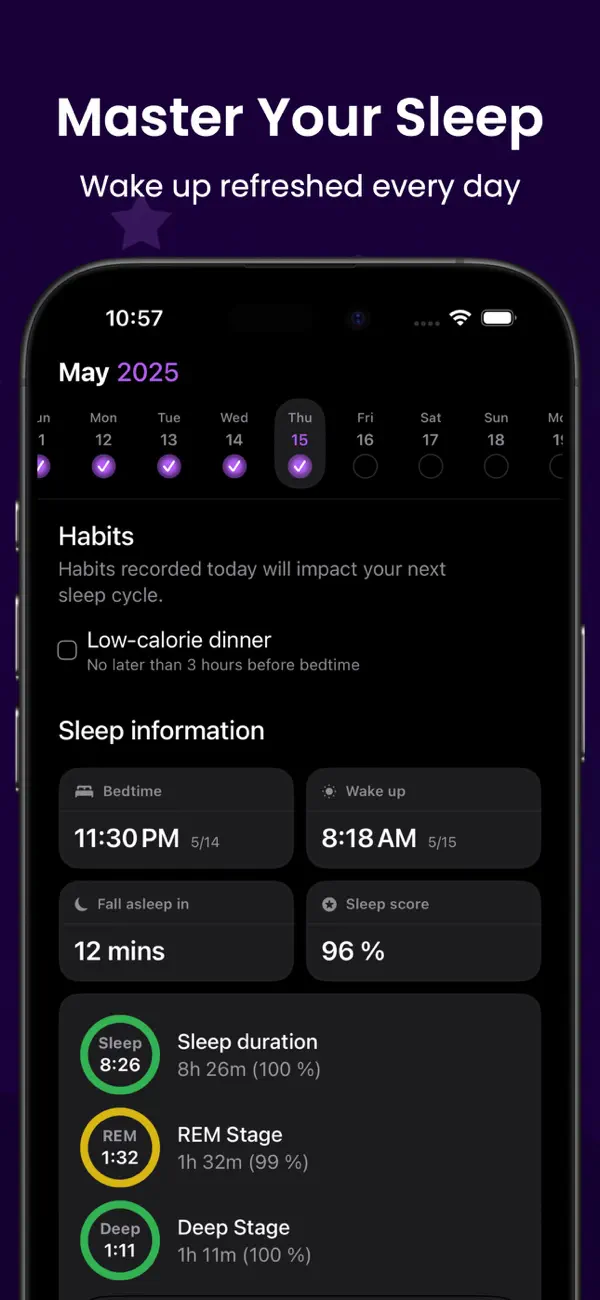
Sleep data can tell you how the night went, but it can't tell you what the day looked like. Circadian brings your habits and Apple Health sleep stages together so you can look for patterns over time.


Why it helps
A late coffee, an evening workout, or a regular bedtime might be worth paying attention to. Circadian gives you one place to note those details and compare them with the sleep data you already collect.
You don't need to record your whole day. Start with a few habits you're curious about and add more if they become useful.
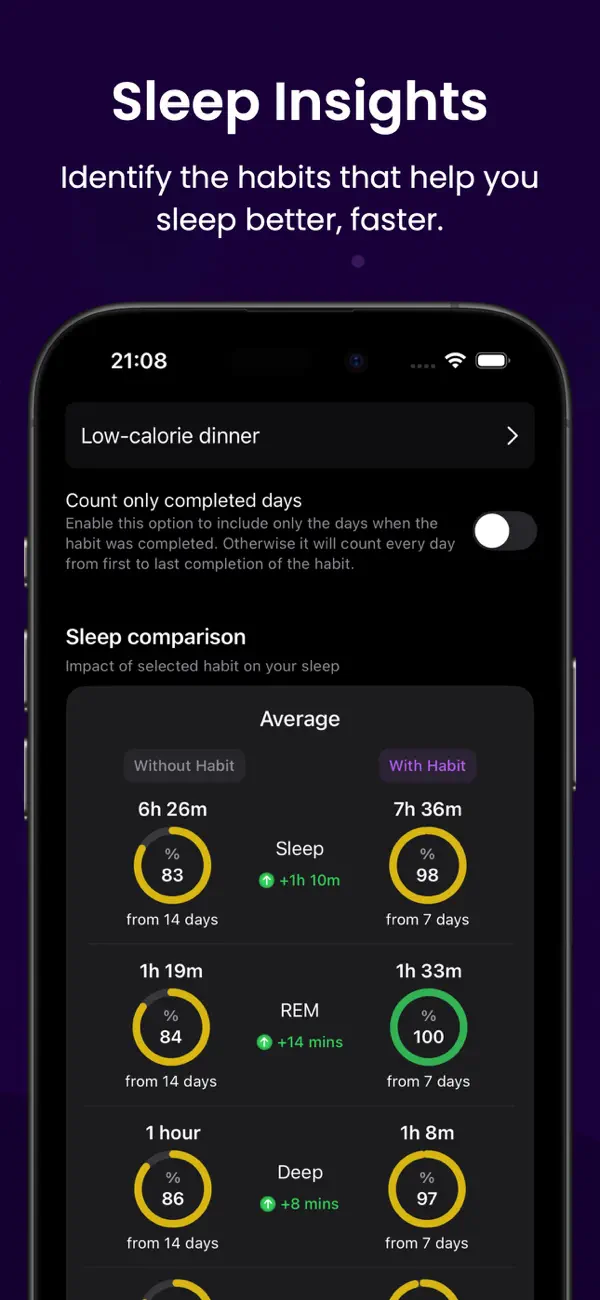
Good and bad nights happen for all sorts of reasons. A longer history can help you notice repeated associations without treating them as proof.
Circadian is a wellness tool, not a diagnosis. It's there to help you remember, compare, and have better-informed conversations about your routine.
How it works
Allow Circadian to read the sleep stages recorded by your compatible apps and devices.
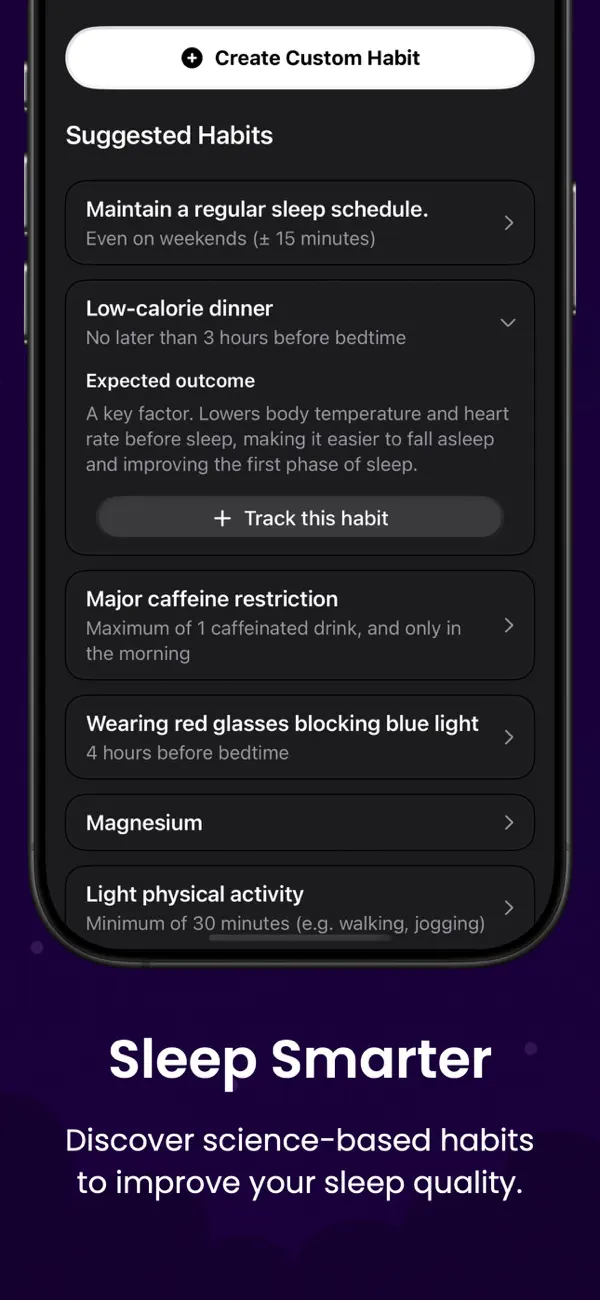
Check off the things you want to follow, such as caffeine, exercise, or a wind-down routine.
Compare several days and nights, then decide whether one small change is worth trying.
Blog
Add daily habit notes to Apple Health sleep stages and build a sleep diary that is useful without becoming a chore.
Read post Apple Health sleep stages meaningUnderstand Awake, REM, Core, and Deep sleep in Apple Health, plus the limits of consumer sleep-stage estimates.
Read post sleep tracker data changes every nightLearn why sleep duration and stages vary, how to review inconsistent data, and when a missing night may be a recording issue.
Read post habits to track for better sleepChoose a manageable set of daytime and evening habits to record with sleep data, without turning the diary into a second job.
Read postFAQ
Yes. With your permission, it can read available sleep-stage data from Apple Health and show it alongside your habits.
Circadian includes a set of sleep-related habit ideas. You can choose the ones that are relevant to your routine.
No. Circadian is a general wellness tool for recording habits and noticing associations. It is not a medical device or a substitute for professional care.
Your Circadian data can sync through your private iCloud account so it stays available across your devices.
Available on the App Store
Our collection


