
How to Keep a Sleep Diary With Apple Health Data
Add daily habit notes to Apple Health sleep stages and build a sleep diary that is useful without becoming a chore.
Short answer
Use Apple Health as the record of when you slept, then add a short daily habit check-in. Track only a few details at first, review several nights together, and avoid treating one night as proof that a habit helped or hurt.
The longer answer
Apple Health can collect sleep stages from compatible sources, but those stages do not explain what happened before bed. A sleep diary adds that missing context. The most sustainable version is brief: choose a few habits, record them at the same time each day, and look at the history in groups of nights rather than chasing a single score.
Choose a small set of habits
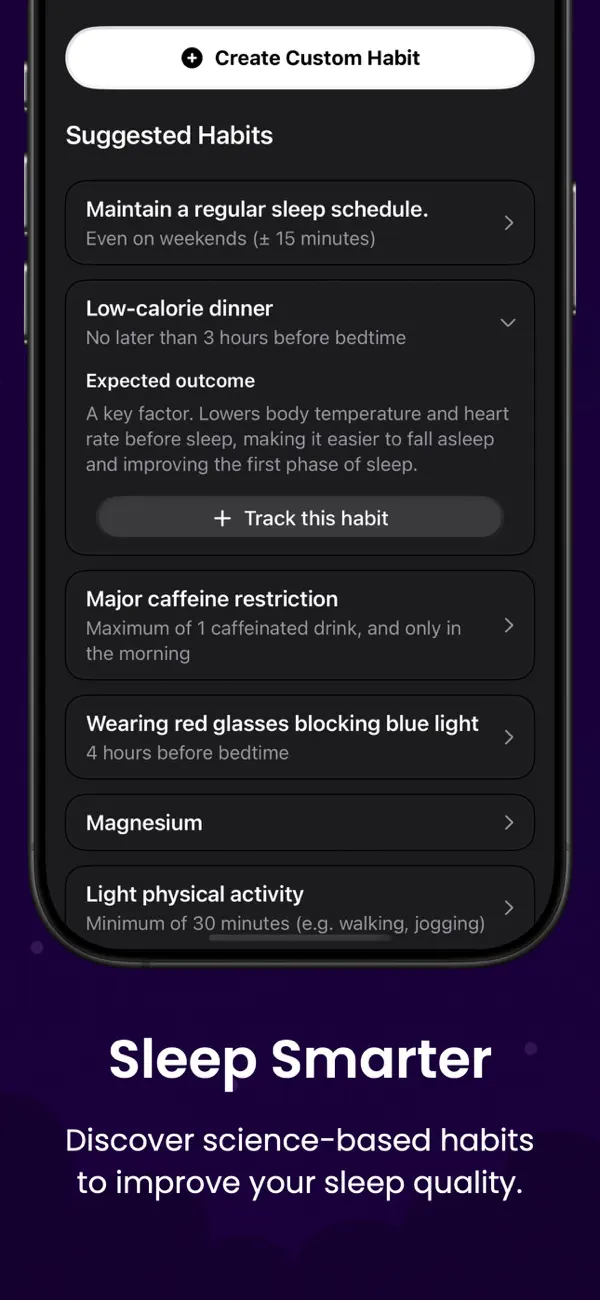
Begin with details you can record reliably, such as caffeine timing, exercise, alcohol, naps, screen use, or a wind-down routine.
Tracking everything usually creates an incomplete diary. Three consistent items are more useful than fifteen items you stop recording after a few days.
Keep the timing clear
Decide which night each habit belongs to. A simple rule is to attach daytime and evening habits to the sleep that follows.
Complete the check-in before bed or the next morning while the details are still easy to remember.
Review patterns carefully
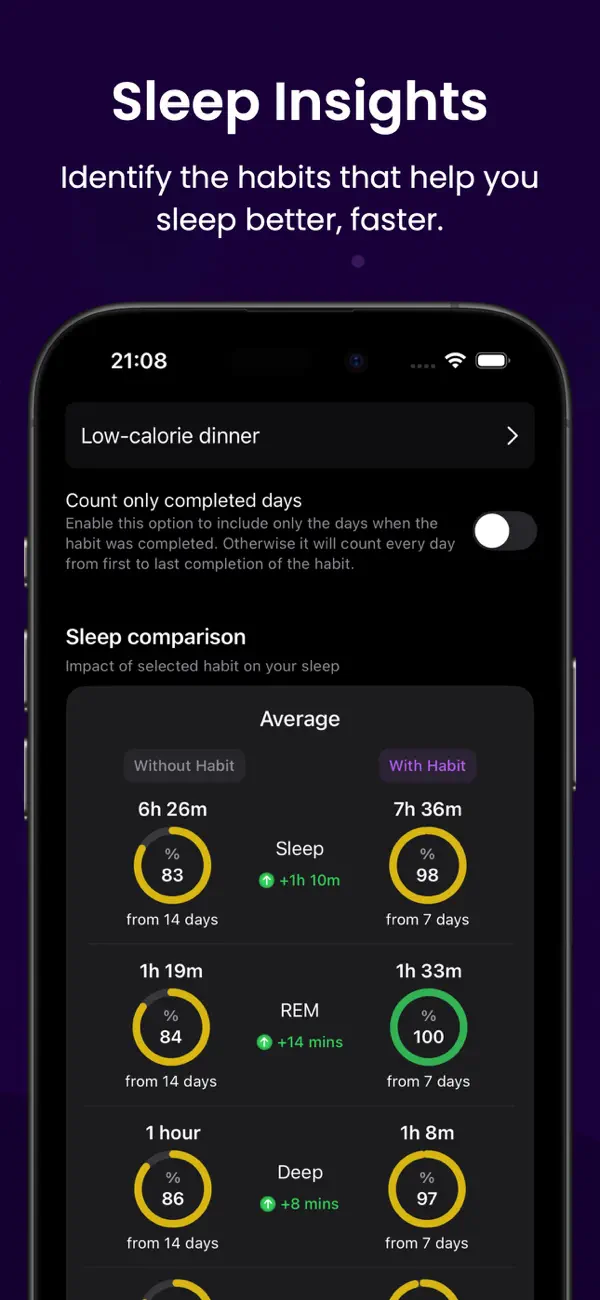
Look across a meaningful stretch of time. Sleep varies for many reasons, and a repeated association is not the same as a proven cause.
If sleep problems persist or affect daytime safety and health, bring the diary to a qualified healthcare professional rather than relying on an app to diagnose the cause.
Using Sleep Tracker: Circadian
Keep the diary in Circadian
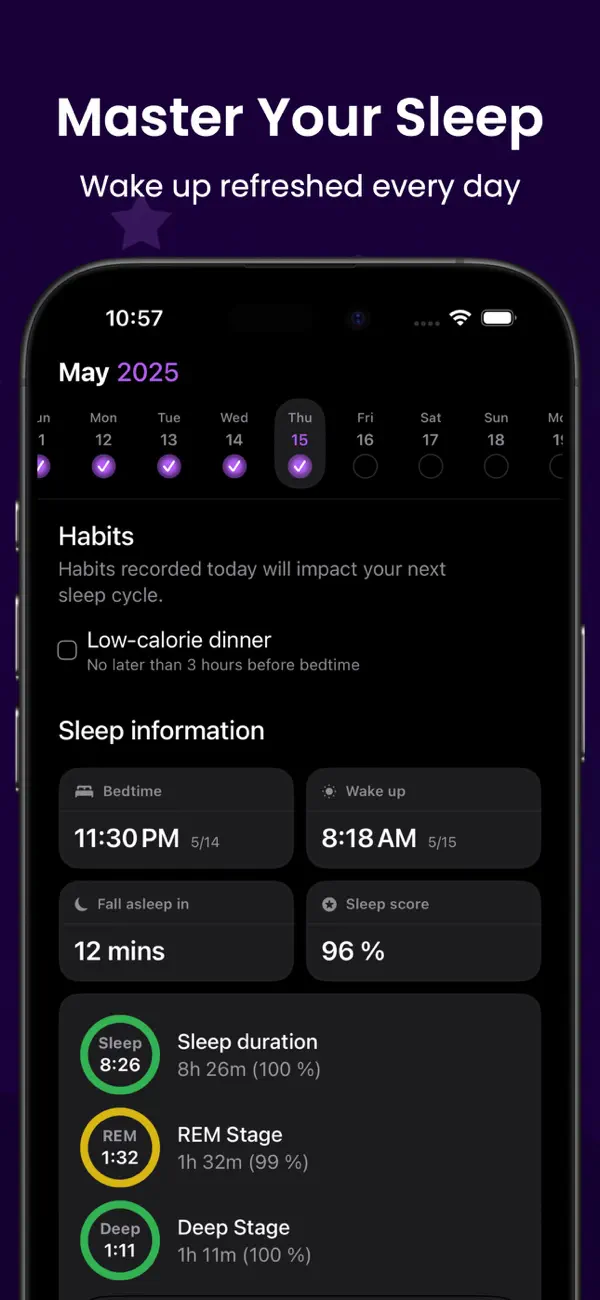
Circadian shows selected habits beside available Apple Health sleep stages. You choose what to track, and the app does not diagnose sleep conditions.
- Apple Health sleep-stage import
- Daily habit check-ins
- Private iCloud sync
Start with a few habits and give the pattern time to develop.


FAQ
Questions about this topic
Does Apple Health include a habit diary?
Apple Health stores many health data types, but a dedicated habit log can add daily context to its sleep history.
How many habits should I track?
Start with two or three that you can record consistently. Add another only when it answers a useful question.
How long should I keep the diary?
Several weeks gives more context than a handful of nights, though the useful period depends on your routine and question.
Sources and further reading
Keep reading
Related posts
Apple Health Sleep Stages: What the Data Can Tell You
Understand Awake, REM, Core, and Deep sleep in Apple Health, plus the limits of consumer sleep-stage estimates.
Read post sleep tracker data changes every nightWhy Sleep Tracker Data Changes From Night to Night
Learn why sleep duration and stages vary, how to review inconsistent data, and when a missing night may be a recording issue.
Read post habits to track for better sleep8 Habits Worth Tracking Alongside Your Sleep
Choose a manageable set of daytime and evening habits to record with sleep data, without turning the diary into a second job.
Read post