
8 Habits Worth Tracking Alongside Your Sleep
Choose a manageable set of daytime and evening habits to record with sleep data, without turning the diary into a second job.
Short answer
Useful starting points include caffeine timing, alcohol, exercise, naps, bedtime consistency, wake-time consistency, screen use, and a wind-down routine. Pick only a few, record them consistently, and review associations over several weeks.
The longer answer
The best habits to track are the ones you can record accurately and might realistically change. A long checklist often fails because it asks too much every day. Start with two or three items tied to a specific question, such as whether late caffeine or an irregular wake time tends to appear before your more difficult nights.
Daytime habits
Caffeine timing, alcohol, exercise, and naps are concrete enough to remember. Record timing or a simple yes and no rather than trying to capture every detail.
If medication, pain, or a health condition is relevant, discuss tracking and interpretation with a qualified professional. An app should not advise you to change treatment.
- Caffeine later in the day
- Alcohol
- Exercise
- Naps
Schedule and evening habits
Bedtime and wake time help show how regular the schedule was. Screen use and a wind-down routine can add context without pretending that either explains the whole night.
Define each habit once. For example, decide what counts as a wind-down routine so the check-in means the same thing next week.
- Consistent bedtime
- Consistent wake time
- Screen use near bedtime
- A planned wind-down routine
How to keep the list useful
Review the list after a few weeks. Remove habits that are always the same or too vague to answer a question.
When you test a change, keep the rest of the routine as stable as practical. Real life will never be a perfect experiment, and that is fine.
Using Sleep Tracker: Circadian
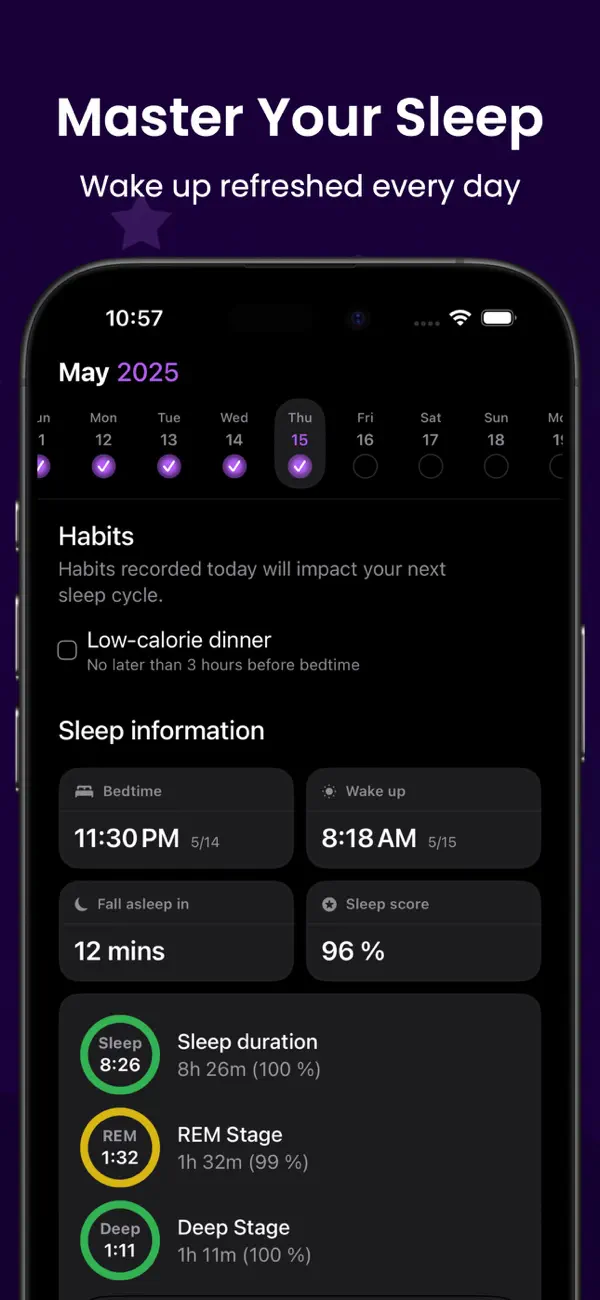
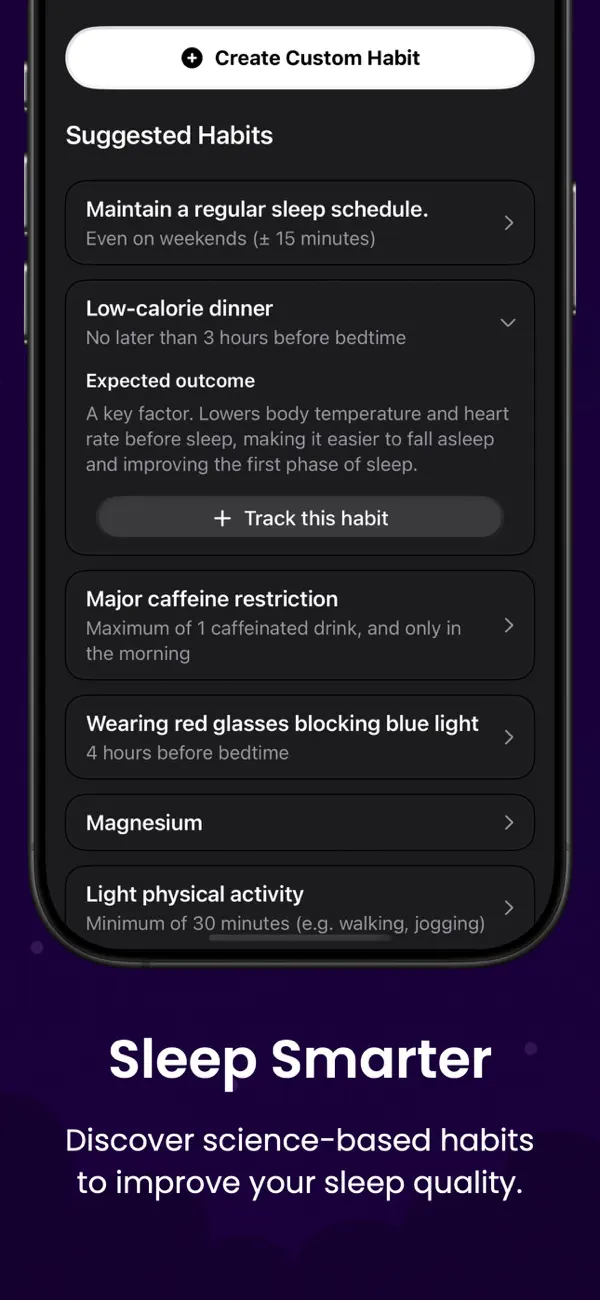
Choose your habits in Circadian
Circadian includes research-based habit ideas and lets you select the ones that fit your routine. It does not detect habits automatically.
- Short daily check-in
- Apple Health sleep context
- No medical diagnosis
Pick three habits you can still imagine logging a month from now.


FAQ
Questions about this topic
Do I need to track all eight habits?
No. Two or three consistent habits are a better starting point.
Should I rate sleep quality myself?
You can add a simple personal rating if it helps, but keep it separate from device estimates and note what the rating means to you.
Can habit tracking prove what caused poor sleep?
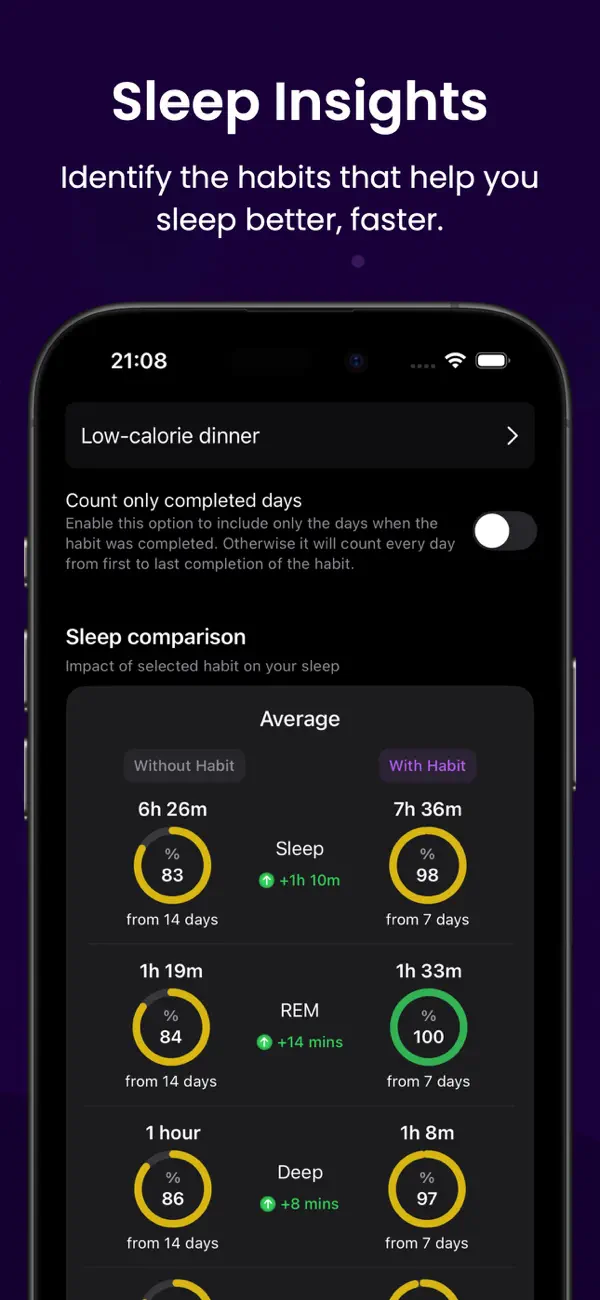
No. It can reveal associations and help form questions, but it cannot prove cause.
Keep reading
Related posts
How to Keep a Sleep Diary With Apple Health Data
Add daily habit notes to Apple Health sleep stages and build a sleep diary that is useful without becoming a chore.
Read post Apple Health sleep stages meaningApple Health Sleep Stages: What the Data Can Tell You
Understand Awake, REM, Core, and Deep sleep in Apple Health, plus the limits of consumer sleep-stage estimates.
Read post sleep tracker data changes every nightWhy Sleep Tracker Data Changes From Night to Night
Learn why sleep duration and stages vary, how to review inconsistent data, and when a missing night may be a recording issue.
Read post