Guide
Custom Body Measurements You May Want to Track
Choose useful custom measurements for clothing, training, mobility, or another personal routine without cluttering the dashboard.
Updated 2 min read

Body Measurements Tracker is free to download.

Short answer
Use custom body measurements for a value missing from your app, such as inseam, sleeve length, or torso length. Check the built-in list first: Body Measurements Tracker already separates left and right arms, thighs, and calves. Give each custom value a clear name, unit, and repeatable method.
A clothing pattern asks for sleeve length, but your tracking dashboard only shows fitness measurements. That is a useful reason to add a custom field. Give it a specific purpose and a repeatable method before building a new history.
Start with the question you want to answer
| Purpose | Possible custom entry | Method to record |
|---|---|---|
| Clothing pattern | Inseam or sleeve length | The pattern’s stated landmarks |
| A repeatable location | Circumference at a named point | Distance from a fixed landmark |
| Personal sizing notes | Torso length | Start and end points |
For example, a sleeve measurement for a jacket may follow a different route from a straight arm length. Keep the label specific enough that you can repeat it without guessing. A number from another method belongs in a separate history.
Measurements for clothing fit
Inseam, sleeve length, torso length, and garment-specific circumferences can help keep sizing notes together.
Use the method required by the garment or pattern. A tailoring measurement may use different landmarks from a fitness measurement with a similar name.
Check the built-in left and right measurements first
Body Measurements Tracker already includes separate left and right biceps, forearms, thighs, and calves. Use those entries when they match your method. Creating another custom field for the same measurement splits its history across two labels.
A custom entry can still help when you need a different landmark, such as a circumference at a specific distance from the knee. Put that location in the name and keep the method in your own notes. A small difference between sides does not establish an injury or explain its cause.
Keep the dashboard readable
Add only measurements that you plan to revisit. Clear names such as “Right thigh, 15 cm above knee” are easier to repeat than a generic label.
Archive the method outside the number if it requires several steps. A chart is only as comparable as the process behind each entry.
Create a custom entry in Body Measurements Tracker
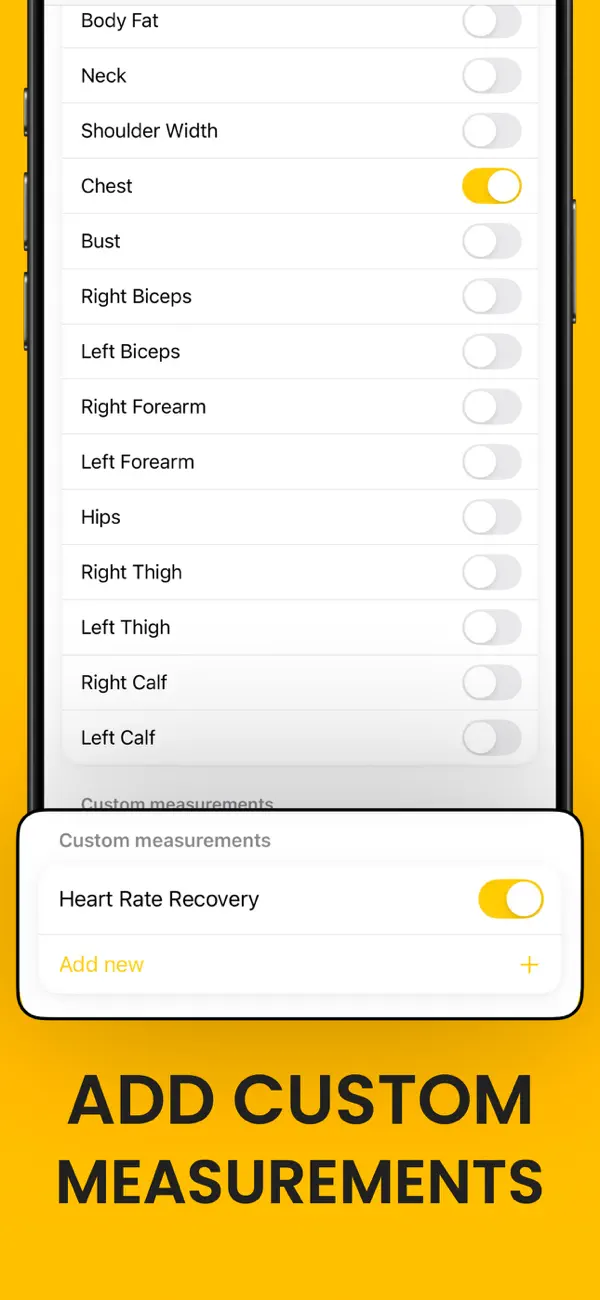
Body Measurements Tracker lets you add custom measurements, assign colors, and arrange the dashboard around the values you use.
Related reading: How to Make a Body Measurement Tracking Schedule · Body Measurement Chart vs Scale Weight · How to Export Body Measurements to CSV.