Comparison
Manual vs Automatic Mileage Trackers
Compare manual mileage logs with automatic trip tracking. Choose by your logging habits, location preferences, and the record you need to keep.
Updated 2 min read

Mileage Tracker is free to download.

Short answer
Automatic trackers can capture drives with less effort, but they may use background location and require trip classification later. Manual trackers record only what you enter, which gives you more control but depends on a consistent logging habit. The better choice depends on which tradeoff bothers you less.
Some drivers forget to record journeys. Others dislike reviewing every drive their phone detects. Choose the workflow around the task you will reliably do: confirm captured trips, or enter each journey yourself.
We make Mileage Tracker, the manual app mentioned below. Automatic tracking may suit you better if forgotten trips are your main problem.
Choose where to spend your attention
| Method | Your recurring task | Best for |
|---|---|---|
| Automatic | Review detected trips and their categories | Drivers who often forget to log |
| Manual | Add and check each trip | Drivers who prefer deliberate entry |
| Paper or spreadsheet | Enter trips and maintain totals | A small log with a simple routine |
Where automatic tracking helps
Automatic tracking suits drivers whose main problem is forgetting trips. For example, MileIQ describes using motion detection and location data to record drives. Its workflow also supports classifying them as business or personal.
Check what permissions a specific app needs and how it lets you review the record. Automatic capture reduces manual entry, but you still need to confirm that the trips and their categories match what happened.
Where manual tracking helps
A manual log contains the trips you deliberately add. It does not need to build a background location history to work.
The tradeoff is straightforward: you must remember the entry and provide accurate distance and purpose.
Choose based on the record you need
List the fields required by your employer, tax authority, or personal process before choosing a tool. Rules differ by location and use case.
No app can make an incomplete or inaccurate entry compliant by itself. Keep supporting records when your requirements call for them.
Keep a manual log in Mileage Tracker
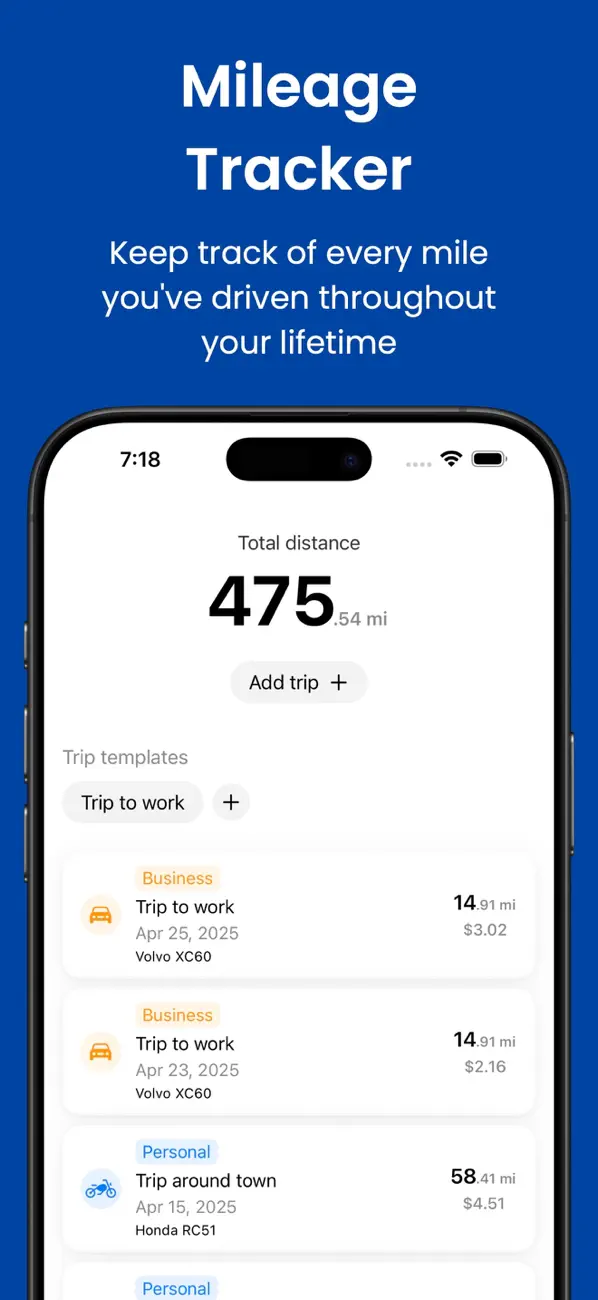
Mileage Tracker records trips you add. It supports personal and business categories, recurring templates, and multiple vehicles without automatic GPS capture.
Related reading: How to Use Mileage Log Templates for Recurring Trips · How to Calculate Fuel Cost for One Trip · Gas vs Electric Vehicle Mileage Logs.