Guide
How to Calculate Fuel Cost for One Trip
Calculate a trip’s fuel cost from distance, consumption, and price. Use worked examples for litres per 100 km, miles per gallon, and electric vehicles.
Updated 2 min read

Mileage Tracker is free to download.

Short answer
Multiply trip distance by fuel consumption, then multiply the fuel used by the current price. Keep the units compatible. For 100 km consumption, use distance ÷ 100 × L/100 km × price per litre. A trip-cost estimate needs three inputs: distance, the vehicle's consumption, and energy price.
A distance alone cannot tell you what a journey will cost in fuel. You also need a consumption figure and a price in matching units. Start with those three inputs, then decide which other expenses belong in your travel budget.
The formulas in one place
| Consumption unit | Estimated trip cost |
|---|---|
| L/100 km | Distance in km ÷ 100 × L/100 km × price per litre |
| mpg | Distance in miles ÷ mpg × price per matching gallon |
| kWh/100 km | Distance in km ÷ 100 × kWh/100 km × price per kWh |
These formulas estimate fuel or energy only. The example prices below are invented arithmetic inputs, rather than current local prices. Replace them with your own price and consumption figure.
Litres per 100 kilometres
For a 240 km trip in a car using 6.5 L/100 km, the estimate is 240 ÷ 100 × 6.5, or 15.6 litres. Multiply that by the price per litre. At an example price of €1.80 per litre, 15.6 × €1.80 = €28.08.
Use the same currency and volume unit for the price. Do not mix gallons and litres without converting.
Miles per gallon
For a 180 mile trip at 30 mpg, divide 180 by 30 to estimate 6 gallons. Multiply 6 by the price per gallon. At an example price of $3.50 per matching gallon, 6 × $3.50 = $21.
US and imperial gallons are different sizes. Use the mpg convention that matches the vehicle figure and fuel price.
Electricity per 100 kilometres
For 200 km at 18 kWh/100 km, estimated energy use is 200 ÷ 100 × 18 = 36 kWh. At an example price of €0.30/kWh, the energy estimate is €10.80. A different charging tariff changes the result even for the same journey.
The Department of Energy’s vehicle-cost methodology also distinguishes fuel and electricity inputs from wider ownership costs. Keep your calculation’s scope clear when comparing travel options.
What the estimate leaves out
Fuel or electricity is only part of driving cost. Tolls, parking, maintenance, depreciation, and insurance may matter for your decision.
Mileage Tracker calculates from the values you provide. It does not read current prices, receipts, or live vehicle data.
Run the estimate in Mileage Tracker
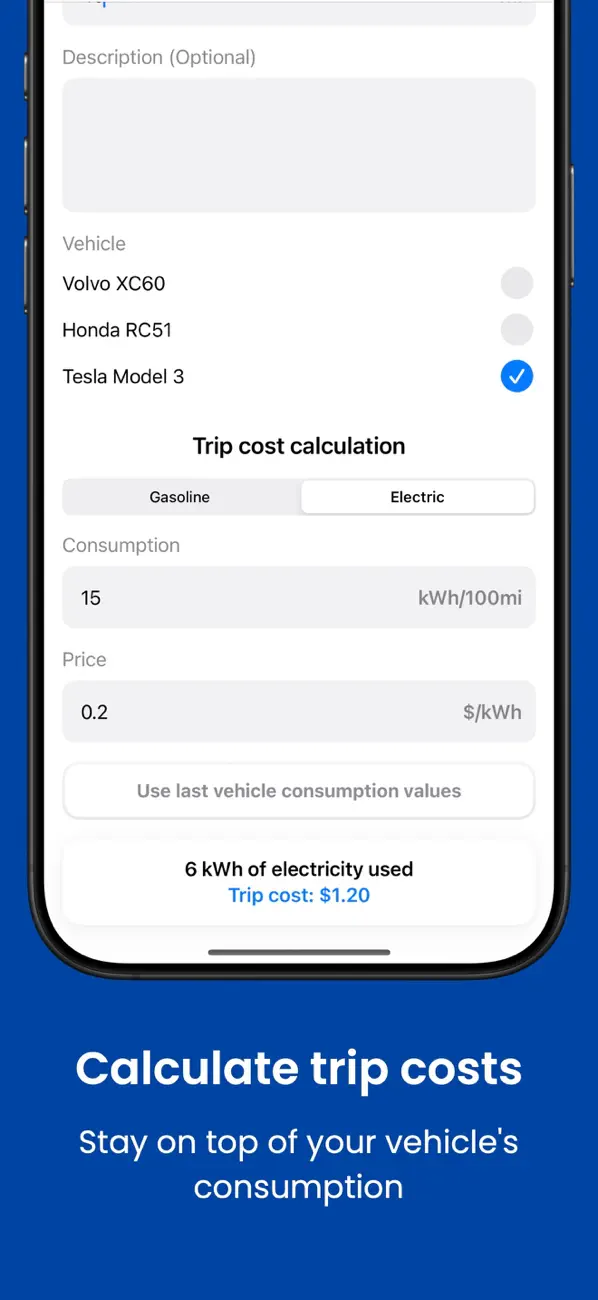
Mileage Tracker includes trip cost and fuel consumption calculators for the vehicle, distance, consumption, and price values you enter.
Related reading: Manual vs Automatic Mileage Trackers · How to Use Mileage Log Templates for Recurring Trips · Gas vs Electric Vehicle Mileage Logs.