Guide
What to Look for in a Caffeine Tracker
Choose a caffeine tracker by the drink log, the editable half-life and bedtime, on-device storage, and a clear line around what the app does not measure.
Updated 2 min read

Caffeine Tracker is free to download.

Short answer
Choose a caffeine tracker by the entries you can correct, the assumptions behind its chart, and where it stores your data. A useful log records serving amounts and times and shows how half-life affects the estimate. Check separate requirements, such as sleep integration or watch support, against the product listing before choosing.
Before choosing a caffeine app, try logging your usual drink and changing its time. If the catalog serving is wrong or a mistake is awkward to fix, the later chart will be less useful. Check that basic workflow before judging the dashboard.
A checklist to try before committing
| Check | Try this |
|---|---|
| Serving size | Change one catalog item’s quantity |
| Corrections | Edit the time of a test entry |
| Assumptions | Find the half-life and bedtime settings |
| Privacy | Read where the log is stored |
| Extra requirements | Verify each one in the listing |
Test the workflow with the drink you repeat most often. A catalog is useful only if you can find the right serving and correct it when your routine changes. A paper diary can also record amounts and times if you don’t need a calculated curve.
The log has to match the drink you had
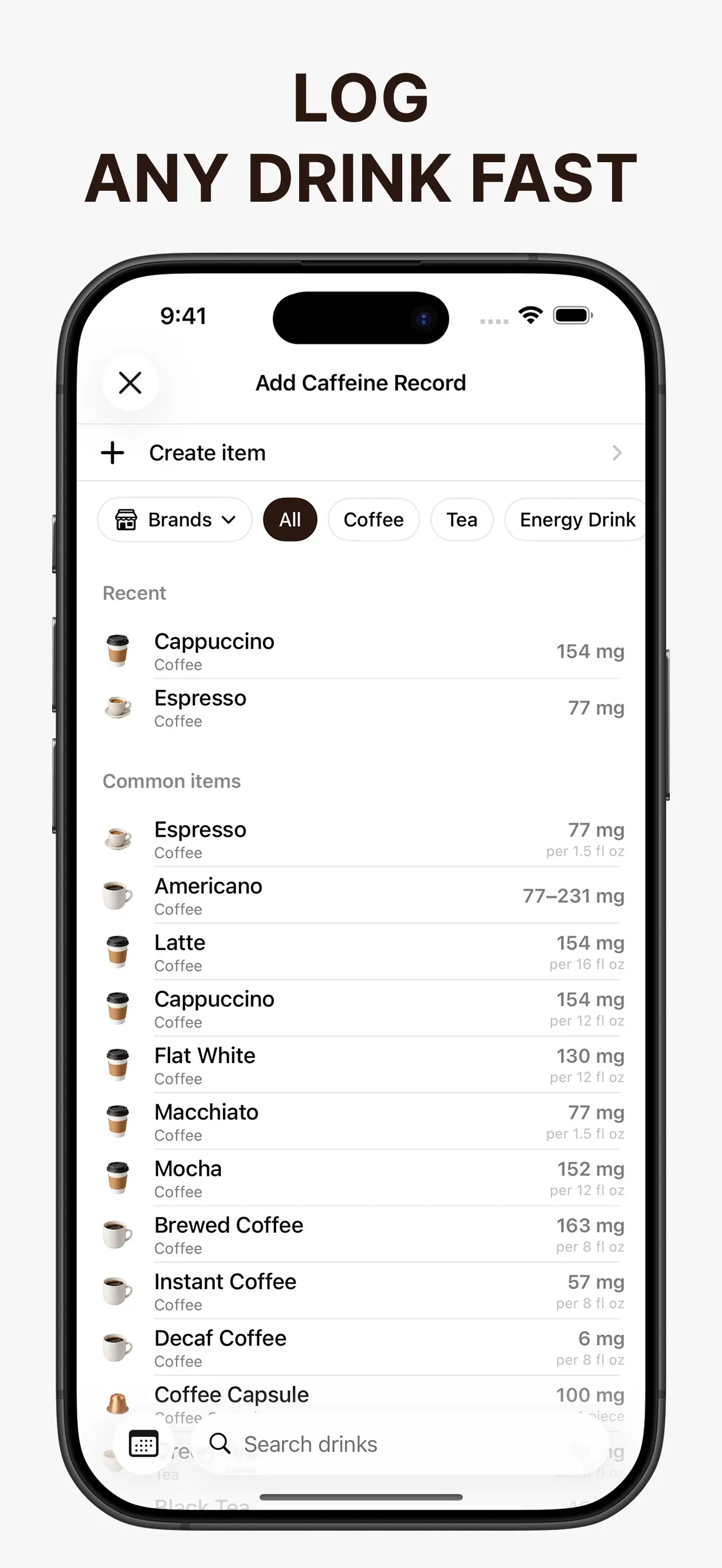
Look for serving sizes you can adjust, a clock time on each entry, and a way to fix mistakes. Recent items help when the same coffee shows up every morning. A custom item matters when the catalog misses your drink.
Treat catalog milligrams as reference values. Check the listed serving size against the product you had. If the cup or quantity differs, adjust the entry instead of accepting the first search result.
The estimate should show its assumptions
A remaining-caffeine number comes from doses, times, and a half-life. Prefer an app that lets you select the half-life and your usual bedtime, and that lets you inspect the curve at a particular hour.
Keep two targets when both questions matter: a daily total, and a limit for what may remain at bedtime. One combined status hides which of those limits a drink crossed.
Match the app to the job
On-device storage fits when you want the log on your phone without an account. Read the privacy label before you rely on that. An app that says it does not collect data is a different choice from one that syncs sleep or an account.
Sleep stages, Apple Watch logging, barcode scans, and a structured quit plan are separate jobs. If the listing does not include them, plan on doing that work somewhere else.
A log and two targets, stored on your iPhone
Caffeine Tracker includes a searchable catalog of more than 2,000 item variations, custom items, a half-life you select, and a usual bedtime. It compares a daily target with a bedtime target and keeps setup details and logs on the device. It does not read Apple Health, track sleep, scan barcodes, or include a quit plan.
Related reading: How to Read a Caffeine Half-Life Chart · Daily Caffeine Limit vs Caffeine Left at Bedtime.