Comparison
The 4 Best Body Measurement Tracker Apps for iPhone in 2026
How to track waist, hips, chest, and arms on iPhone, which apps do it best in 2026, and how to measure so your progress is real.
Updated 3 min read

Want to see your waist, hips, and arms change over time? Body Measurements Tracker is free to download.

Short answer
Apple Health is enough if you only track weight, body fat, and waist. For hips, chest, arms, and thighs you need a dedicated app. Progress is the pick for progress photos, and Body Measurements Tracker is the pick for charting many measurements side by side. Remeasure Body hasn't been updated since 2021.
The scale is one number, and it often sits still while your body changes. Lose a little fat and build a little muscle at the same time, and your weight can stay flat for weeks while your jeans fit differently. A tape measure catches that, as long as you write the numbers down somewhere you’ll actually look at them.
This post covers how to measure, what to track, and which iPhone apps are worth using. We make Body Measurements Tracker, one of the apps below, so we’ve tried to be clear about where the others do better.
How to measure your body accurately
Small differences in technique can look like progress, or hide it. A few habits keep your numbers comparable:
- Measure at the same time of day, ideally in the morning before eating or drinking.
- Use a soft tape measure, snug against the skin but not pressing in.
- Find the same spot each time: your waist at the navel, your hips at the widest point, arms and thighs at a set distance from a joint.
- Measure both sides of your arms and thighs if you’re building muscle.
- Check every one to two weeks. Daily numbers bounce around, and the monthly trend is what counts.
What to track for your goal
- Losing weight: waist, hips, and weight. The waist often moves first, even when the scale doesn’t.
- Building muscle: chest, shoulders, upper arms, and thighs, with left and right tracked separately.
- General fitness: waist, hips, chest, and body fat, plus anything that matters to you.
The apps at a glance
| App | What you can track | Apple Health | Best for |
|---|---|---|---|
| Apple Health | Weight, BMI, body fat, lean mass, waist | Built in | Weight and waist only |
| Progress | Weight, body fat, BMI, common measurements, photos | Two-way sync | Before-and-after photos |
| Remeasure Body | 28 measurements on a body outline | Paid upgrade | Body ratios, if you don’t mind an older app |
| Body Measurements Tracker | 19 built-in measurements plus your own | Two-way sync | Charting many measurements together |
Apple Health: best if you only track weight and waist
The Health app is free and already on your iPhone. It stores weight, height, BMI, body fat percentage, lean body mass, and waist circumference, and shows each on a chart. It has nowhere to log hips, chest, arms, or thighs, which is where a dedicated app comes in.
Progress: best for progress photos
Progress, listed on the App Store as Body Measurements Tracker App, tracks weight, BMI, body fat, and common measurements, with Apple Health sync. Its strength is before-and-after photos you can compare side by side. If photos motivate you more than charts, choose this one.
Remeasure Body: a classic, now dated
Remeasure Body puts 28 measurements on a body outline and calculates ratios like waist-to-hip. The free version shows ads, Apple Health sync needs the paid upgrade, and its last App Store update was in March 2021.
Body Measurements Tracker: best for seeing every change
We built Body Measurements Tracker for people who track more than one or two numbers. It covers weight, waist, hips, chest, neck, shoulders, body fat, and more, with left and right arms, forearms, thighs, and calves kept separate. If something’s missing, you can add your own measurement with its own unit and color.
The idea was to see measurements together. You can plot weight and waist on one chart, for example, and save that comparison to check every few weeks. Entries sync with Apple Health in both directions and across your devices with iCloud, and you can export everything to a CSV file for a spreadsheet or a coach.
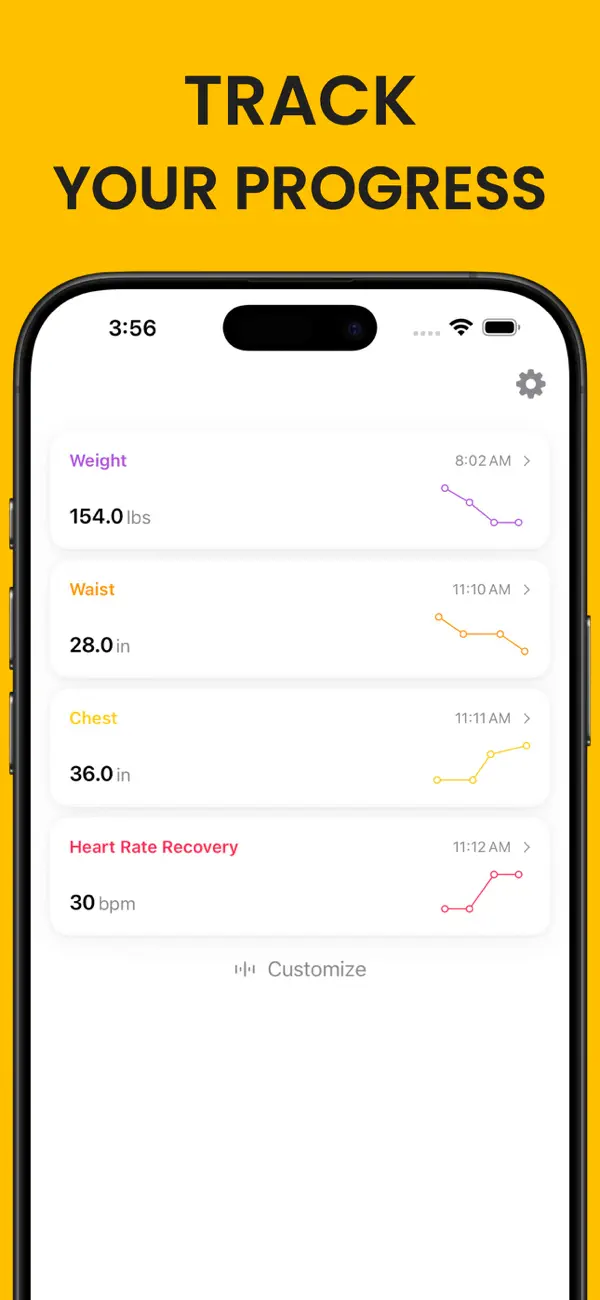
What it doesn’t do: progress photos, or camera-based body scanning. If those matter to you, Progress or a 3D scanning app is a better fit.