
How to Fix a Wrong Point in a Badminton Scoreboard
Correct an accidental point entry in Rally, then check the score and server. Separate a tapping mistake from a disputed rally or incorrect match setup.
Short answer
Pause play and agree on the last correct score. If the most recent point was entered incorrectly in Rally, undo it and enter the point for the correct side. Check the displayed server before resuming. Redo is available if the original entry was correct after all.
The longer answer
A wrong score can come from an extra tap, a point entered for the wrong side, or disagreement about who won the rally. The first two are entry errors. The last one needs a decision from the players or official before the app can be corrected. Work from the last score everyone agrees on. Repeatedly adding points until the totals look right can leave the recorded sequence and serving information wrong.
Identify the entry that went wrong
Stop entering points while you check. Ask whether the total is one point too high, a point went to the wrong side, or the mismatch started earlier. For example, if the correct score was 6-5 and you tapped the leading side twice, the display may read 8-5 instead of 7-5.
If the players disagree about the rally itself, settle that decision first. A scoring app records a decision; it cannot judge a shuttle landing or decide a disputed call.
Undo the mistaken point and check the server
For an accidental extra tap on the latest rally, use Undo and compare the score with the agreed total. If you gave the latest point to the wrong side, undo that entry before recording the correct winner.
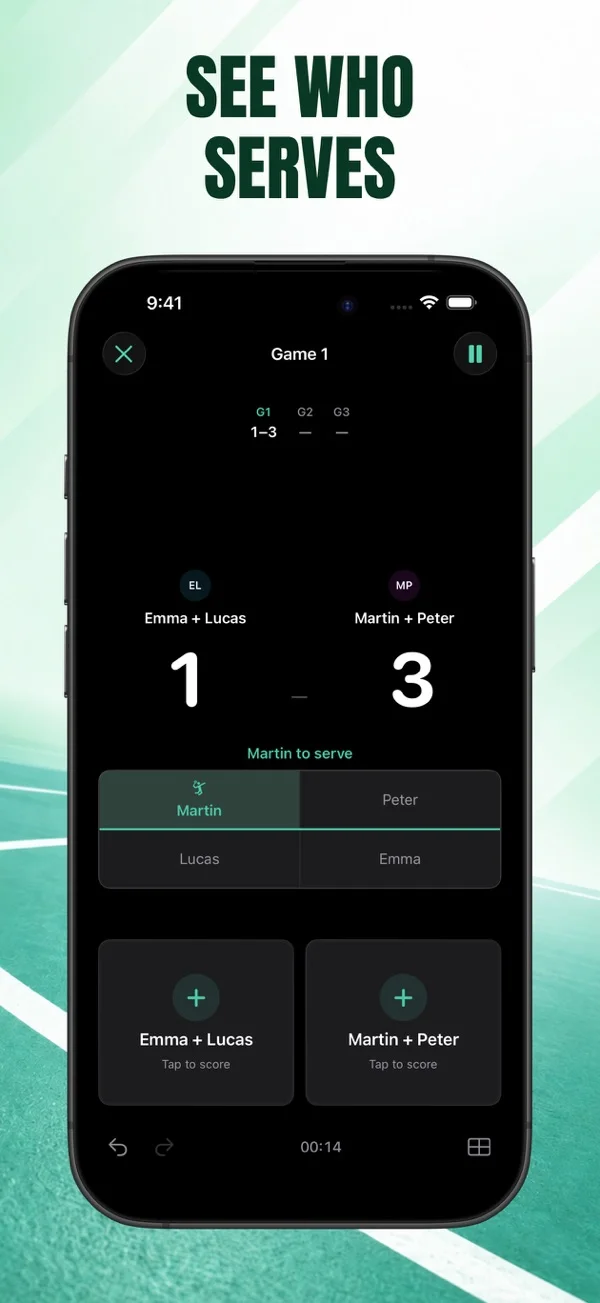
Read the serving-side indicator and named server before the next serve. In doubles, open the court view and compare its pairs and service court with the match you set up. A server mismatch may need a check of the opening server or earlier point entries.
Rally also has Redo if you reverse a correct entry by mistake. If several older rallies are uncertain, avoid promising a precise correction from memory. Pro users can consult the point-by-point timeline as a record of what was entered.
Check the setup when the score ends unexpectedly
An unexpected game ending may be a format mismatch rather than a missed tap. Check the selected point target and match length against what the players agreed before starting.
Rally offers 21-point and 15-point presets as well as custom first-to targets. A custom target can end a game differently from a preset with a two-point winning margin. Check the setup before the first rally of the next match.
Using Badminton Scoreboard - Rally
Correct the entry before the next serve
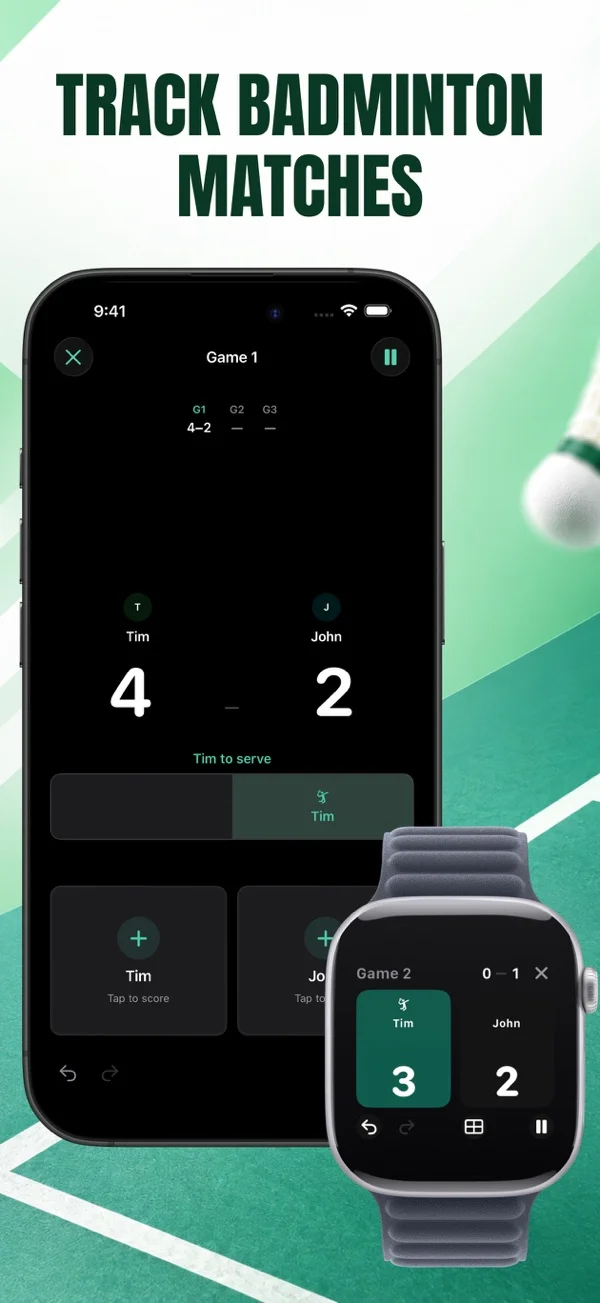
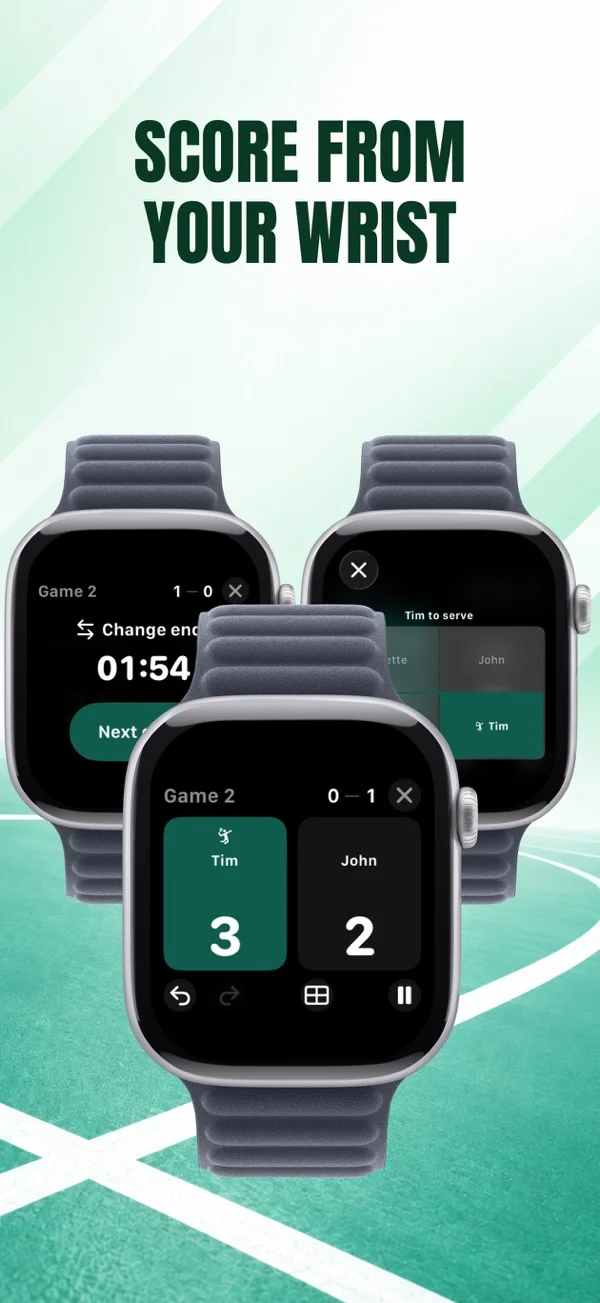
Rally provides undo and redo, a named-server indicator, and a doubles court view. You can pause the match clock while you check an entry, then resume when the players agree.
- Undo and redo
- Pause and resume
- Doubles court view
Practice correcting a point before your next match starts.


FAQ
Questions about this topic
Should I add a point to the other side to fix a wrong tap?
Undo the incorrect latest entry first. Adding a compensating point changes the total number of recorded rallies and may leave the match history wrong.
Can I correct a point from Apple Watch?
Rally supports Undo on both iPhone and Apple Watch. Watch scoring requires Pro and a match started or resumed on iPhone.
Does the timeline prove who won a rally?
No. It records point entries, scores, servers, and times. An incorrect entry is still an incorrect entry in the history.
Sources and further reading
Keep reading
Related posts
Choosing a Badminton Scoreboard for Apple Watch
Check how a badminton watch scorekeeper starts matches, corrects points, and works with iPhone. See which Rally features require Pro.
Read post track badminton match historyHow to Track Badminton Match History with Regular Opponents
Build a useful badminton match record with consistent player names, saved doubles teams, and game scores. Review head-to-head and partnership records in Rally Pro.
Read post