
Choosing a Badminton Scoreboard for Apple Watch
Check how a badminton watch scorekeeper starts matches, corrects points, and works with iPhone. See which Rally features require Pro.
Short answer
Choose a watch scorekeeper by its match setup, point controls, and phone requirements. In Rally, Apple Watch scoring requires Pro. Start or resume a match on iPhone, then enter points, check the server, and pause or undo from your wrist.
The longer answer
A watch can keep a phone out of your hand during a match, but the workflow deserves a check before you subscribe. Some products start matches on the watch; Rally starts or resumes them on iPhone. You still record each rally manually. Make sure that fits your routine, check the App Store's current device requirements, and decide whether you want a personal wrist display or a screen other people can read beside the court.
Check where the match starts
Before installing a watch scorekeeper, find out whether it needs a companion phone for setup. That determines what you need to bring and when you can put the phone away.
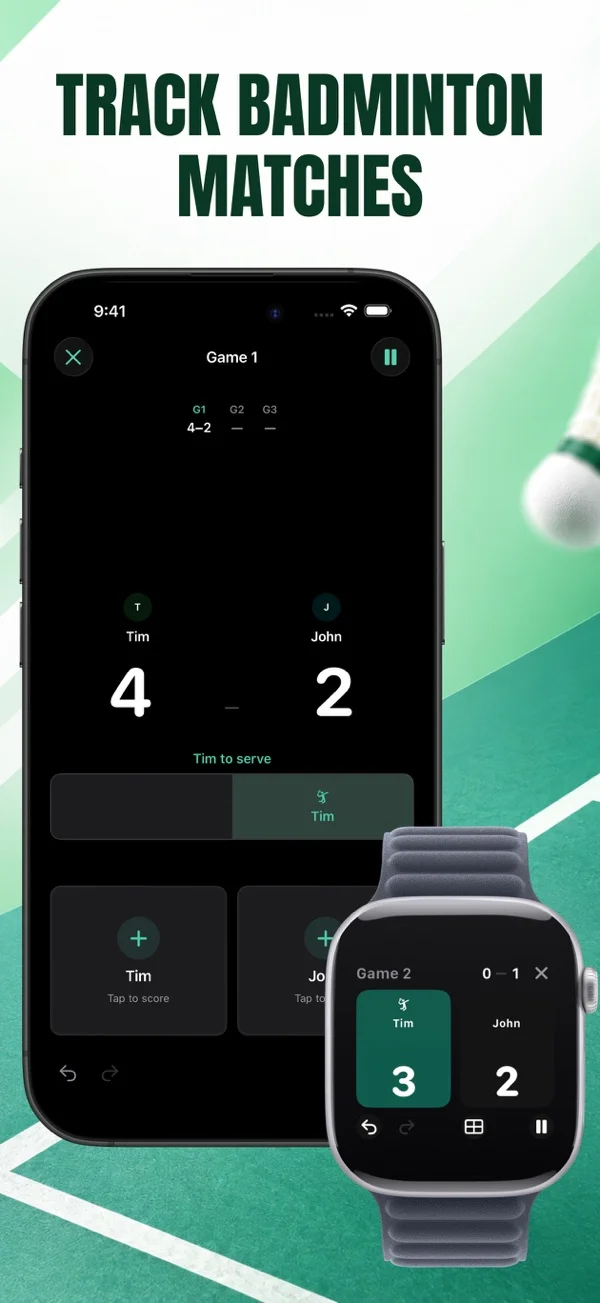
With Rally, choose the players, format, and opening server on iPhone. Start or resume the match there, then record rallies on Apple Watch. The listing describes the watch staying in step with the phone; it does not promise independent match creation on the watch.
Look beyond the add-point button
An accidental tap is easy to make when you're holding a racket. Check whether the watch lets you undo that point immediately and whether it shows enough information to confirm the correction.
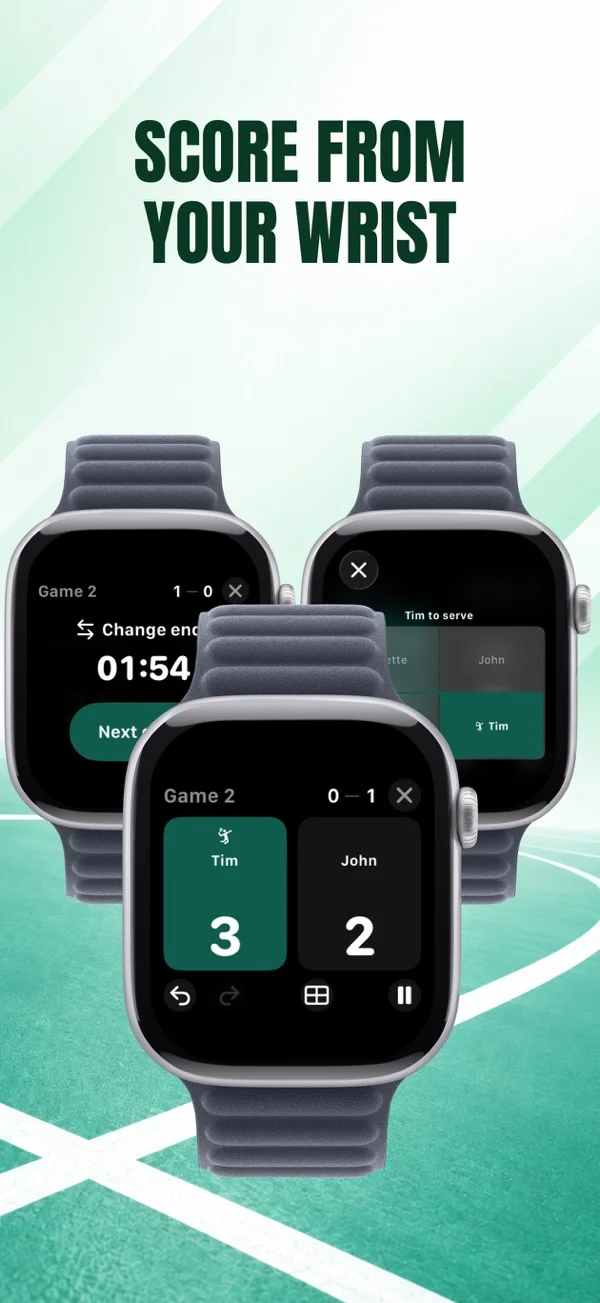
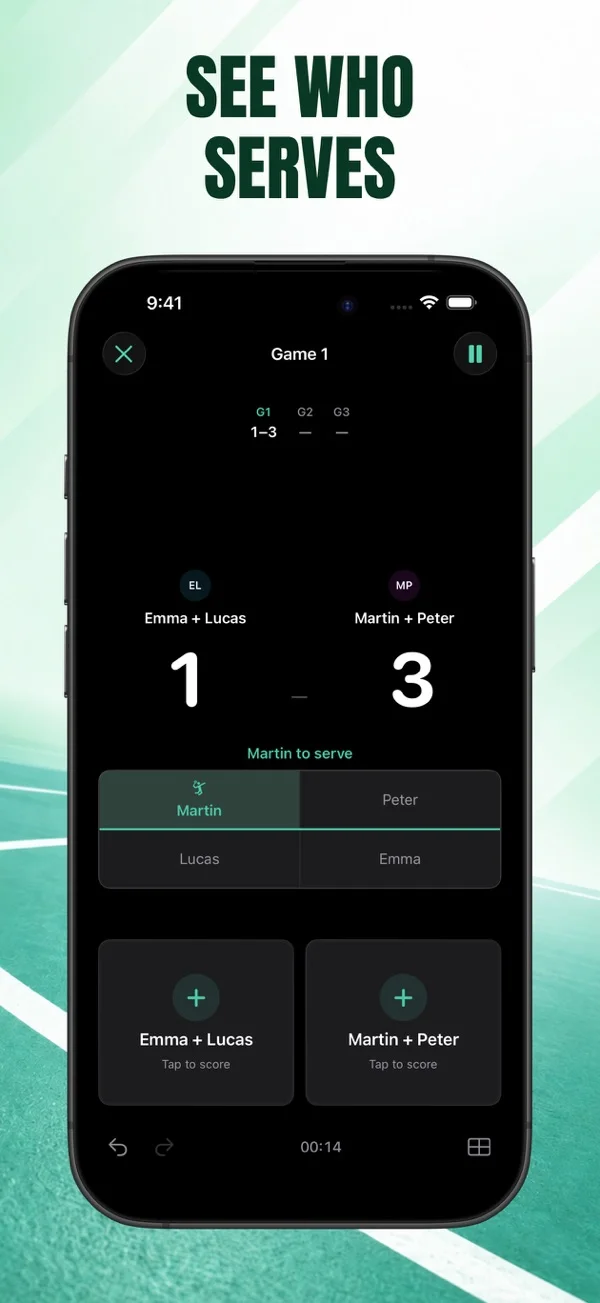
Rally shows the game, score, server, and court positions on the watch. Undo, pause, and resume work on both devices. The watch can also stop and save the match for later, or delete it. During a practice run, check those controls before using them in a close game.
A wrist display is personal. If several players need to look at the score together, the iPhone screen may be the more useful reference between rallies.
Read the purchase and compatibility details
Rally includes one free match per day on iPhone. Apple Watch scoring and watch haptics are Pro features, alongside unlimited matches and detailed records. The free iPhone allowance does not include wrist scoring.
Check compatibility on the App Store for your specific devices before purchasing. The listing checked for this guide requires iOS 18 or later and watchOS 26.5 or later. Use the current listing if those requirements change.
Using Badminton Scoreboard - Rally
Score from your wrist with Rally Pro
Start the match on iPhone and use Apple Watch for point entry. Rally Pro includes watch haptics and controls for undoing points, pausing, and resuming the match.
- Score and server on your wrist
- iPhone match setup
- Pro required
Check your device compatibility and the Pro details on the App Store.


FAQ
Questions about this topic
Can I start a Rally match entirely on Apple Watch?
The documented workflow is to start or resume on iPhone, then score from Apple Watch.
Is Apple Watch scoring included free?
No. Rally requires Pro for Apple Watch scoring. One match per day is available free on iPhone.
Will the watch recognize the rally winner?
No. You enter the winning side manually after each rally. The watch displays the match state from those entries.
Sources and further reading
Keep reading
Related posts
Badminton Scoreboard App vs Paper Scoresheet
Choose between a phone scorekeeper and a paper record for casual badminton. Compare point entry, corrections, serving information, and match history.
Read post fix wrong score badminton scoreboardHow to Fix a Wrong Point in a Badminton Scoreboard
Correct an accidental point entry in Rally, then check the score and server. Separate a tapping mistake from a disputed rally or incorrect match setup.
Read post